

Until further notice, the California DMV cannot issue, reissue, or renew limited-term legal presence (non-domiciled) commercial driver’s licenses (CDLs). Learn More
I need to…
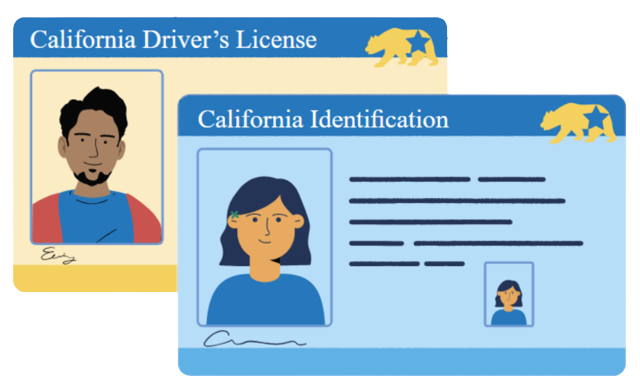
Renew
Select this option if you have either a:
 Standard driver’s license (DL)/ID or
REAL ID DL/ID
Note: If you are age 70+ and renewing your driver’s license, you might not need to take a test. Check your renewal notice to be sure.
Convert to a REAL ID
Select this option to convert to a REAL ID while renewing a: Standard DL/ID

Renew at a DMV Office
Select this option if you have either a:
Standard DL/ID or
REAL ID DL/ID
and received a notice to renew at a DMV office. You can start the renewal online and save time at your office visit.
Are you over age 70? Review the Guide to Driver’s License Renewal for 70+. Save time when you visit the office by starting your renewal online.
Renew Commercial DL
Select this option if you have a: Commercial DL
Make sure your address and personal information are up to date before you start.
Note: Must be completed at a DMV office.
Check My DL/ID Status
Already renewed? You should receive your new DL/ID card in the mail within two to four weeks. If you have not received your DL/ID card after 60 days, check your status online.
Get Future Renewal Notices by Email
Sign up for Paperless Notices to get your DL/ID renewal notices electronically and save paper. You can update your preferences at any time.
Request a copy of your DL/ID renewal notice.

Save Time!
When renewing your DL online, you may be required to complete the online eLearning course to satisfy your knowledge test requirement.
- eLearning (Recommended!): For DL renewals only. This all-pass, no-fail, interactive online course is short, fast, and entertaining. Complete the course any time of day or night using the device of your choice (computer, laptop, tablet, or smartphone). Currently available in English, Spanish, and Traditional Chinese (with audio in Mandarin).
Updating Your Information Before You Renew:
I need to change my address
An address should be updated at least five days prior to renewing your DL/ID.
If you already submitted a change of address request, you can check your status online.
I need to change my name or gender identity
Name or gender identity changes must be processed at a DMV office. Before you go, start by completing a new application online.
I need to change other information
If you have other changes to your DL/ID information, such as height and weight, you will need to fill out a new application and visit a DMV office.